Know what was sold, collected, and still needs attention.
Opsly connects invoices and payments to the same operating system as your leads and jobs, giving owners a clear view of revenue, open balances, and business performance.
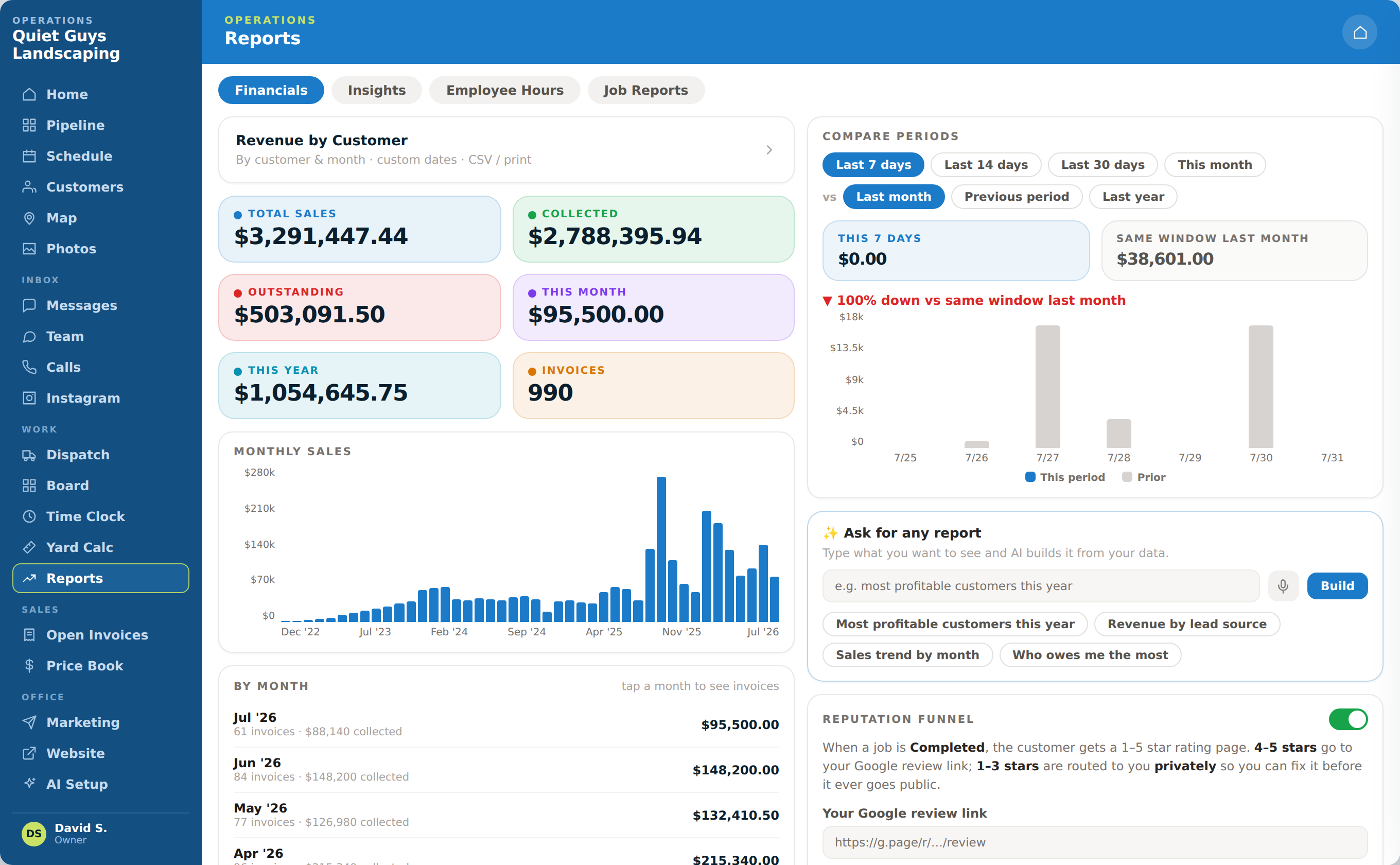
Connect the money to the work that produced it.
See what has been invoiced, what has been collected, what is still outstanding, and how performance changes over time.
Track sales and collections
See total sales, money collected, outstanding balances, and current-period performance in one view.
Keep open invoices visible
Owners can see who still owes money and follow the invoice back to the customer and completed work.
Compare periods
Review this week, this month, or another period against prior performance to spot changes early.
Understand what drives revenue
Reports and insights connect results to customers, services, and lead sources so the owner can decide what to do next.
From completed job to an owner-ready report.
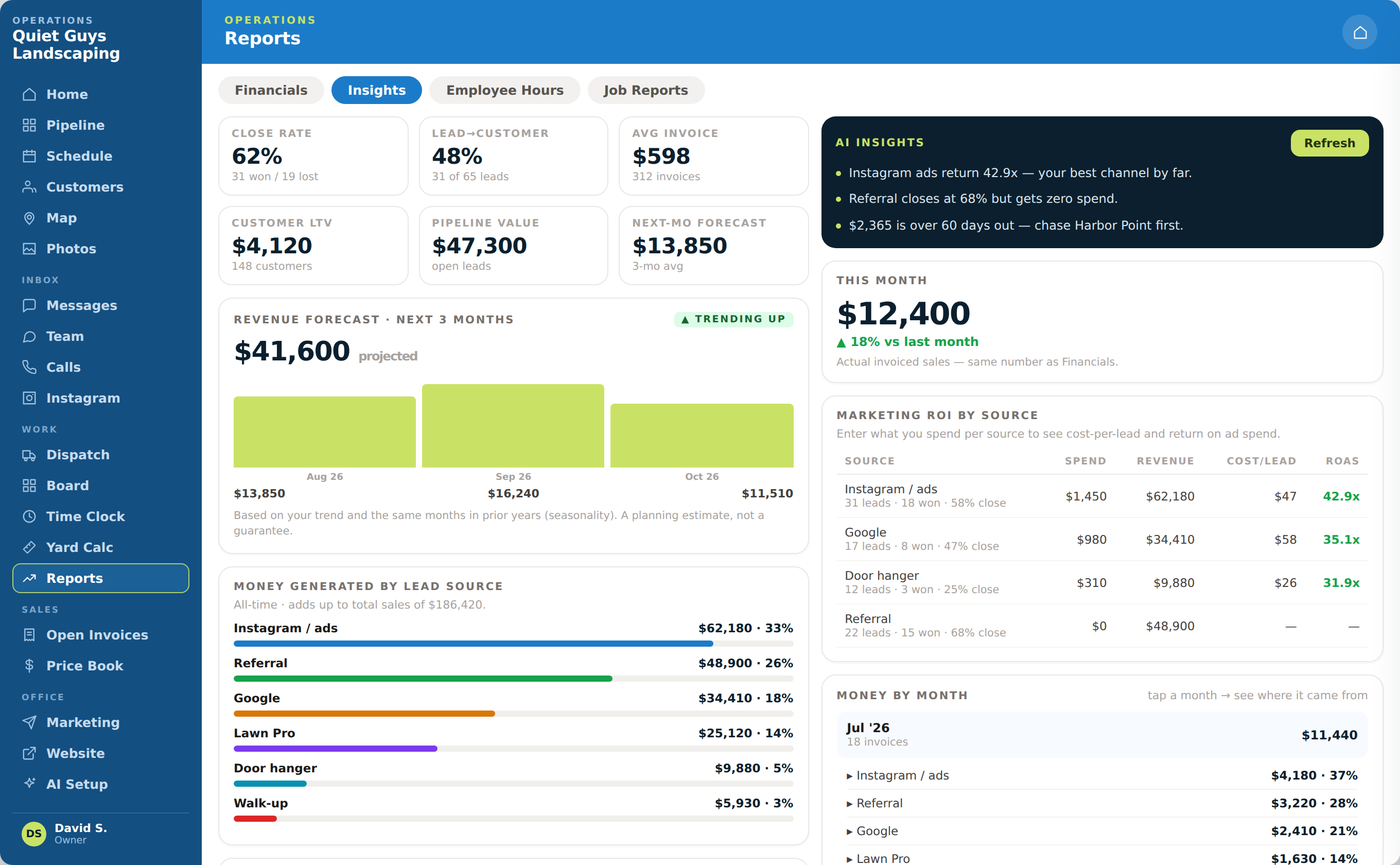
See the numbers behind the work.
See how Opsly helps owners understand revenue, invoices, and what needs attention.